
Guide
Read Light Novels in MovieBox: The Novels Tab Explained
Light novels inside MovieBox: find the Novels tab, start a series, and read offline whenever you like.

On this page
Find the Novels Tab
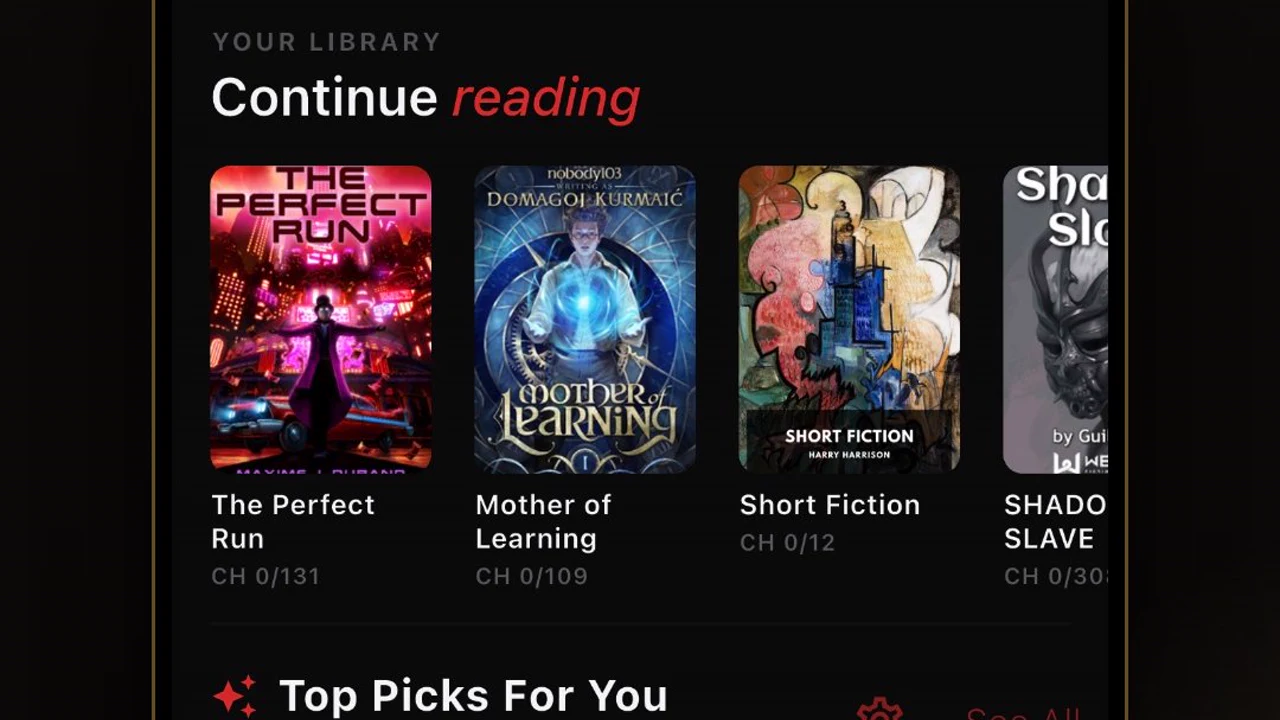
The Novels tab in the MovieBox APK for Android app sits on the bottom bar, next to Home and Downloads. Open it and the rows show light novels by popularity and by recent additions, in English and Urdu, with new titles added regularly.
Each novel page shows its cover, its description and its chapter list, the same way a series page shows its episodes. Tap a chapter to start reading.
Start a Series and Keep Your Place
Reading in MovieBox works like watching: the app remembers the chapter you stopped at, so a novel read over two weeks resumes where you left it. Add a novel to your list and it waits there beside your shows.
Chapters can be downloaded to read later, which matters on a commute or a flight. The offline downloads guide covers downloads for video, and novels follow the same idea: download first, read anywhere.
Read Comfortably
The reader is plain and calm: text on a dark background, with navigation by chapter. If the text feels small, use the phone's display size setting rather than hunting for a control inside the reader: the reader follows the phone's text size.
For long sessions, download the chapters first. A downloaded novel reads the same offline as online, with no loading pauses between chapters.
Pick a First Novel by Mood, Not by Rank
The popularity rows are a starting point, not a verdict. A novel at the top of the list may be a long fantasy epic, while the one you actually finish may be a short romance three rows down. Open the description, read the first chapter, and judge it by the writing, not the rank. If the first chapter does not hold you, close it and try another cover: the tab is wide enough that a better fit is usually one row away.
Mix the reading with the watching. A novel read for twenty minutes before bed and a show watched after dinner use the same app, the same list and the same offline habit, so the quiet hours and the loud ones sit side by side without a second app.
Novels at night: the reading setup
Reading a light novel on a phone at night is a different job from reading in daylight, and the setup matters more than the story. Turn the brightness down until the screen is dimmer than the room, switch the reader to its dark theme, and pick the largest text size that still fits a full sentence on a line. Small text in a dark room strains the eyes; huge text turns every page into two words.
Read in chapters, not in hours. A chapter is a natural stopping point, and the app saves your place at the chapter edge, so closing the app mid-chapter risks losing a page or two. Set a simple rule: one chapter, then the phone goes down. The story will still be there tomorrow, and the chapter break is the only bookmark that never fails.
Conclusion
Novels are MovieBox for quiet hours: a tab of light novels, a chapter list like an episode list, and a bookmark that never forgets. Open the tab, pick a cover, and read.
Quick Answers
Does MovieBox have novels?
Yes. The Novels tab on the bottom bar holds light novels in English and Urdu, with new titles added regularly.
Can I read novels offline?
Yes. Chapters can be downloaded to read later, the same way videos download for offline watching.
Does MovieBox remember my chapter?
Yes. The app resumes at the chapter you stopped at, even days later.
Are novels free in MovieBox?
Yes. Reading needs no account and no payment, just like watching.