
Guide
Live Sports in MovieBox: Football, Cricket and More
Live sports in MovieBox: fixtures, live TV channels and match nights, and what to do when a stream stutters.

On this page
Find the Sports Section
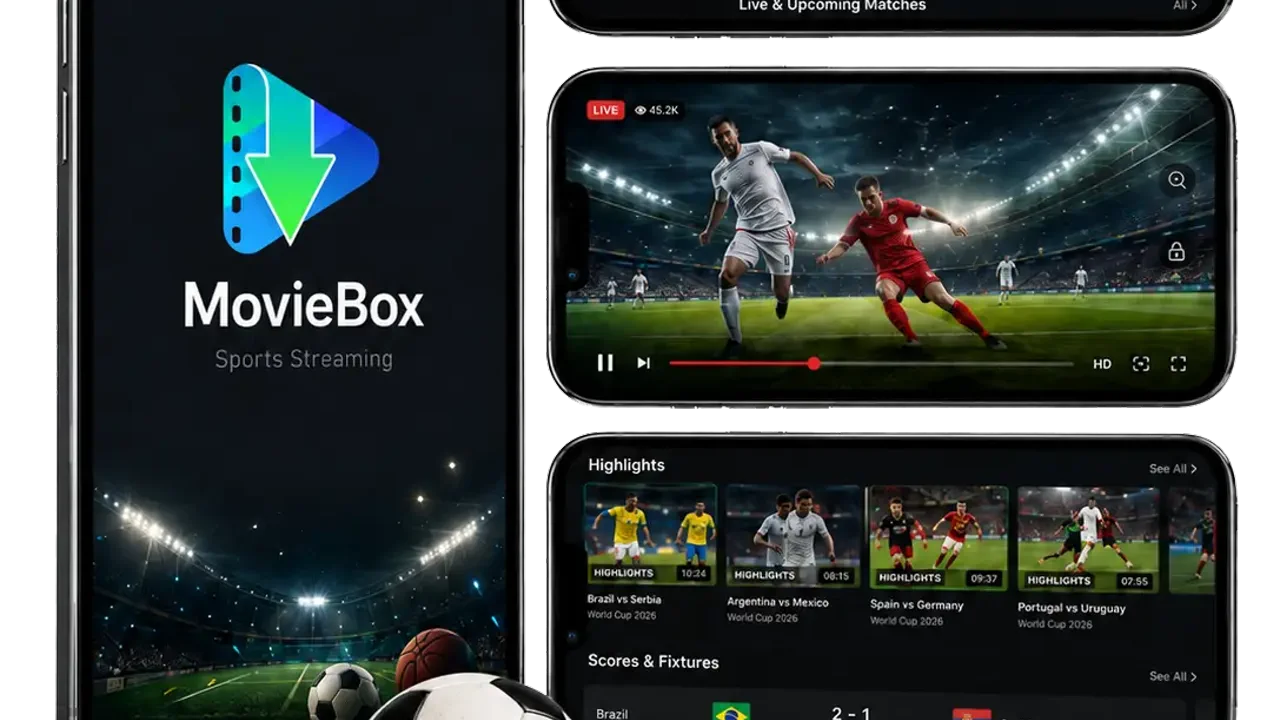
Live sports in the MovieBox APK live in their own section on the home screen, marked with the sport of the moment: football fixtures during a World Cup, cricket during a series, WWE on event nights. Open it and the rows show upcoming fixtures with dates and times, then the live channels below.
Each fixture card shows the teams, the kickoff time, and how long until it starts. Tap a live fixture to open its stream, or tap a channel to watch whatever is on that channel now.
Match Night: The Routine That Works
Open the fixture a few minutes early and let the stream settle before kickoff. If it buffers, drop the quality one step: a smooth 720p stream beats a stuttering 1080p one when the whole neighbourhood is watching the same match.
Keep a second fixture or channel in mind as a backup. If one source struggles, the other is one tap away, and the buffering guide covers the player fixes in order.
Sports on the Big Screen
Sports are where the TV setup earns its keep. MovieBox on an Android TV or Firestick puts the match on the big screen with the same fixtures and channels, and the TV setup guide walks through the sideload in ten minutes.
On a TV, pick 1080p and let the stream settle before the match starts. The first minute is when a stream is most likely to stutter, and a settled stream usually stays settled.
Long Match Nights Need a Different Routine
A football match is ninety minutes, but a cricket match can run all day, and a long session punishes a phone that is not ready. Charge the phone before the match, keep the charger within reach, and settle the stream at 720p if the connection is shared with the rest of the house. A stream that runs for hours at a steady quality beats a 1080p stream that stalls every over.
For the longest matches, the TV setup is the better seat. The match on a big screen frees the phone for scores and messages, and the same fixture list and channels are there on the TV as on the phone.
When the stream lags the score
Live sports in an app always run behind the real match, and the gap is usually half a minute to a minute. That gap is the whole problem on match night: a friend messages goal before you see it, and the celebration is spoiled. The fix is social, not technical: mute the group chat during the match, or watch with the people who are watching the same stream you are.
Do not chase the lag away by dropping the quality to the lowest step. A blurry stream that is five seconds faster still shows the goal late, and now it is blurry too. Keep the quality where the picture is watchable, accept the delay, and treat the chat as a post-match place. If the delay grows past a couple of minutes, close the stream and reopen it: a stream that has been running for an hour drifts further behind than a fresh one.
Conclusion
Sports in MovieBox are simple: open the section, pick the fixture, let it settle, and keep a backup channel ready. The match does the rest.
Quick Answers
Does MovieBox show live football?
Yes. Live fixtures and channels sit in the sports section, with kickoff times listed on each fixture card.
Why does a live match buffer?
Everyone is watching the same source at the same time. Drop the quality one step and let the stream settle.
Can I watch sports on my TV?
Yes. MovieBox sideloads onto Android TV and Firestick, and sports play full screen there.
Are fixtures listed in advance?
Yes. Upcoming fixtures show dates and times, so a match night can be planned ahead.